Tuesday, October 12, 2021

Week 9 2021 Creature Sculpting

October 11 - 13, 2021

Objective: Modeling objects by sculpting.
Assignment: Create a creature using meatball & sculpting modeling.
Save As: 01_Creature_XX.blend


Video Tutorial: Metaball & Sculpt Modeling


Wednesday, September 22, 2021

Week 6 2021 Breakfast Layout

September 20 - 23, 2021

Objective: Creating an Image Texture
Assignment: Cereal Cover Design
Details: Using Photoshop create a new cereal company.

Save As: 01_Cover_XX.psd
Render As: 01_Cover_XX.jpg


Photoshop Design:


Creating a Cereal Cover in Photoshop

Objective: Adding Image Texture
Assignment: Create a Breakfast Table Layout. (50 pts. Cereal Design)
Details: Add your Cereal cover to a box. Model a bowl, spoon, Glass or cup, Fruit. Include a second texture on one of your objects.

Save As: 01_Cover_XX.psd
Render As: 01_Cover_XX.jpg


3D Layout:


Video Tutorial: Blender: Applying a texture to a face.


Video Tutorial: Blender: Creating other models.


Wednesday, September 15, 2021

Week 5 2021: Chessboard Animation

 Sept. 13 - 17, 2021

Objective: Use keyframes to animate.


Assignment: Chess Animation


Details: After Creating your Chess Pieces and laying them on the board animate five or more moves.

Once your animation is done, render it out and submit your video file.


Save As: 00_ChessAnimation_XX.blend


Render As: 00_ChessAnimation_XX.avi


Example:


Video Tutorials:

Thursday, September 2, 2021

Week 4 2021 Chess Pieces

Sept 7 - 10, 2021

Objective: Spin Objects.
Assignment: Chess Pieces (50pts)
Description: Use the spin tool to create six different chess pieces.

Save As: 01_Chessboard_XX.blend
Render As: 01_Chessboard_XX.png

From Blender

Blender: Spin Object

 
Assignment: Chess Board
Details: Layout your chess pieces on a chessboard


Monday, August 30, 2021

Week 3 2021 Simple Objects 1-2

August 30 - September 3, 2021

Objective: Basic Modeling.
Assignment: Simple Objects 1-2 (50pts)
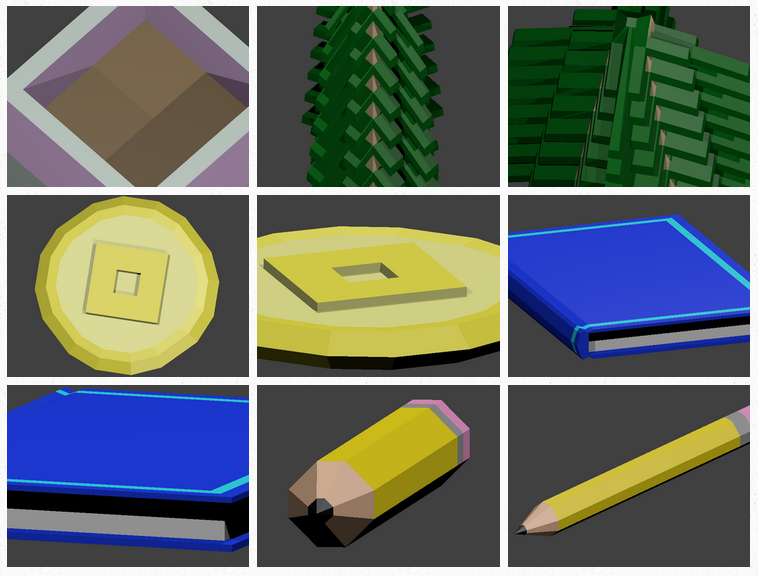
Description: Details: Each week you will create a new model. Add color and take two pictures of each model you create. Upload to your portfolio.

Save As: 01_SO_XX.blend
Render As: 01_SO1_Table1_XX.png, 01_SO1_Table2_XX.png
Render As: 01_SO2_ObjectName1_XX.png, 01_SO2_ObjectName2_XX.png


Thursday, August 26, 2021

Week 2 2021: Landscape

August 23 - 27, 2021

Objective: Selecting Faces.
Assignment: Create Mountains and a building structure. (Landscape.blend)
Details: Subdivide a plain and create a landscape. Then Create a building on the landscape. Use color
Save As: 01_Landscape_XX.blend
Render As: 01_Landscape_XX.png


Tools
Subdivide
Selection: Circle Selection: (C), Block Selection: (B).

 Video Tutorial: Blender: Subdivide, creating mountain landscape.


Monday, August 16, 2021

Week 1b 2021 Robot

August 16 - 20, 2021

Objective: Learn to model objects.
Assignment: Boxing Robots 50 pts
Details: Model two robots fighting in a boxing rink. Add detail and color.


YouTube
Freeman Graphics

Blender 2.83: 005 Robot
Blender 2.83: 006 Adding Color on Model Robot
Blender 2.83: 007 Duplicate Robot & Create Boxing Ring

Blender Assignments