Monday, January 26, 2026

Week 22 2026 Simple Objects 1-2

January 26 - 30, 2026 


Objective: Basic Modeling.
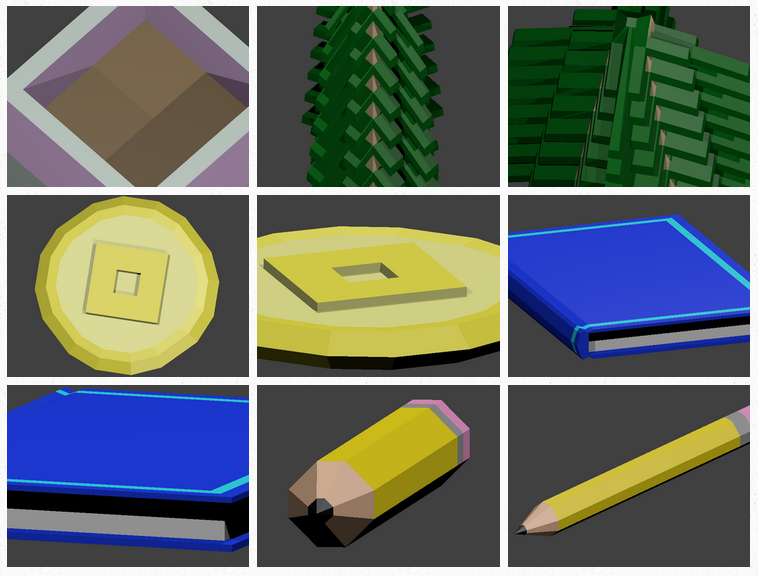
Assignment: Simple Objects 1-2 (50pts)
Description: Details: Each week you will create a new model. Add color and take two pictures of each model you create. Upload to your portfolio.

Save As: 01_SO_XX.blend
Render As: 01_SO1_Table1_XX.png, 01_SO1_Table2_XX.png
Render As: 01_SO2_ObjectName1_XX.png, 01_SO2_ObjectName2_XX.png


Tuesday, January 20, 2026

Week 21 2025 Airplane

January 20-23, 2026 


Objective: Basic Modeling.
Assignment: Airplane
Details: Create an airplane by extruding from a cube and adding color.


Video Tutorials:
Blender 2.80: Airplane Model
Blender 2.80: Airplane Model adding Color


Sunday, January 11, 2026

Week 20 2026 Portfolio & State Testing

 January 12 - 15, 2026 


1-Submit Portfolio (100pts)
https://goo.gl/forms/ler1PEhnRR6D9Qgn2


2-Pre-Test (50pts)
https://forms.gle/zgt2Xxzcgk5PPjZA6


 3-Test Review (50pts)
3D GRAPHICS: STRANDS AND STANDARDS
http://hhs3danimation.blogspot.com/p/testing.html

4-State Test (100pts) January 14th
https://signin.youscience.com/
Period 2: UEIDB2UVV
Period 3: 91W684H3D


Thursday, January 8, 2026

Week 19 20026 Blender Tips

 Jan. 5 - 9, 2026 


Objective: Create 3D text with texture on it.
Assignment: Blender Tips
Details: Pick a tutorial and learn something new and create something from what you have seen.

Links: 


Save As: 00_BlenderTips.blend
Export As: 00_BlenderTips.png, 00_BlenderTips.png

Friday, December 5, 2025

Week 17 2025 Lighting a scene

December 8 - 12, 2025 

Objective: Use 3 point lighting to light a scene
Assignment: Lighting a scene
Details: Create a scene with at least one light source object. Use 4 or more textures then manipulate your lighting to get 4 different light scenarios.

Save As: 01_Lighting.blend
Export As: 01_Lighting1.jpg, 01_Lighting2.jpg, 01_Lighting3.jpg, 01_Lighting4.jpg


Use 3 point lighting.


Video Tutorials:


Monday, November 24, 2025

Week 15 2025 Animated Textured Text

Nov. 24 - 25, 2025 

Objective: Create 3D text with texture on it.
Assignment: Animated Textured Text.
Details: Create text. Add two textures to your text. Create a scene with three more textures in it.
Links: https://www.1001freefonts.com/ or  http://www.dafont.com/

Save As: 00_Text.blend
Export As: 00_Text1.png, 00_Text2.png


Example:


Objective: Use key frames to animate text.
Assignment: Animate Text.
Details: Add Key frames to lights, camera, text or background to create animation.


Objective: Create 3D text with texture on it.
Assignment: Textured Text.
Details: Create text. Add two textures to your text. Create a scene with three more textures in it. Links: http://www.dafont.com/

Video Tutorial:

;-)


Tuesday, November 4, 2025

Week 12 2025 Solar System

 November 3 - 7, 2025 


Objective: Applying textures to objects.
Assignment: Solar System
Details: Download 10 textures to use for your solar system. Apply textures to UV spheres cresting planets, moons, stars and other items in space. Use a background texture.
Save As: 01_Solar System_XX.blend


Video Tutorials:

Blender Assignments